Launch-ready mobile app flow scope and delivery
This page explains how DigitxlLink scopes and delivers a launch-ready mobile app flow: the product map, core screens, state handling, integrations, accessibility foundations, QA, release notes, and handoff details behind a real first release.

What this product is built to deliver
The launch-ready mobile app flow is the focused first version of an app experience. It is designed for teams that need more than a prototype but do not need every long-term roadmap feature before they can validate the product with real users.
DigitxlLink uses this engagement to turn a product idea, partially defined workflow, or app rebuild into a scoped release path. The work centers on the screens and behavior required for the app's primary job: onboarding, account access, intake, booking, shopping, content access, reporting, service requests, internal workflows, or another core action.
The deliverable is not just a set of attractive app screens. It is a working app flow with planned states, connected data needs, accessibility foundations, QA coverage, release notes, and a handoff package your team can understand after delivery.
How we define scope before build
The first part of delivery is scope control. Mobile products can expand quickly, so we define the release around the smallest complete flow that can create value, prove demand, or support the first operational use case.
Before design and development begin, we document the users, jobs, screens, account requirements, integrations, content needs, accessibility expectations, and launch constraints. This gives the build a clear boundary and gives your team a practical way to separate launch needs from future roadmap ideas.
- Primary user types, such as customers, members, staff, admins, partners, or internal operators.
- The app's core job, including the action users must be able to complete in the first release.
- Required screens, including entry points, navigation, forms, detail views, settings, confirmation screens, and support paths.
- Account and permission needs, such as login, profile setup, password recovery, roles, and restricted areas.
- Integration requirements for APIs, payments, subscriptions, CRM data, scheduling, maps, notifications, analytics, or content systems.
- Launch constraints, including platform targets, device priorities, app store readiness, available content, timeline, and ownership.
What is included in the launch-ready flow
Our scope includes the work needed to make the approved flow understandable, usable, and ready for a first release. The exact screen count and technical depth depend on the selected package, but the delivery structure stays consistent.
The flow is planned as a system, not as isolated screens. Navigation, data behavior, screen states, accessibility patterns, and handoff notes are treated as part of the product rather than cleanup at the end.
- Core app screens for the approved MVP path, including the main entry, primary action, confirmation, and account-adjacent screens where needed.
- Reusable interface patterns for buttons, forms, cards, lists, tabs, alerts, empty states, loading states, and error states.
- Responsive and cross-platform interface behavior for the target mobile surfaces, with tablet or web-app surfaces included only when scoped.
- API, backend, CMS, or third-party integration planning and implementation for the approved connections.
- Authentication, account, payment, notification, analytics, or admin workflows when they are part of the approved scope.
- Accessibility foundations, including readable hierarchy, touch targets, labels, contrast considerations, state clarity, and assistive technology considerations.
How delivery works
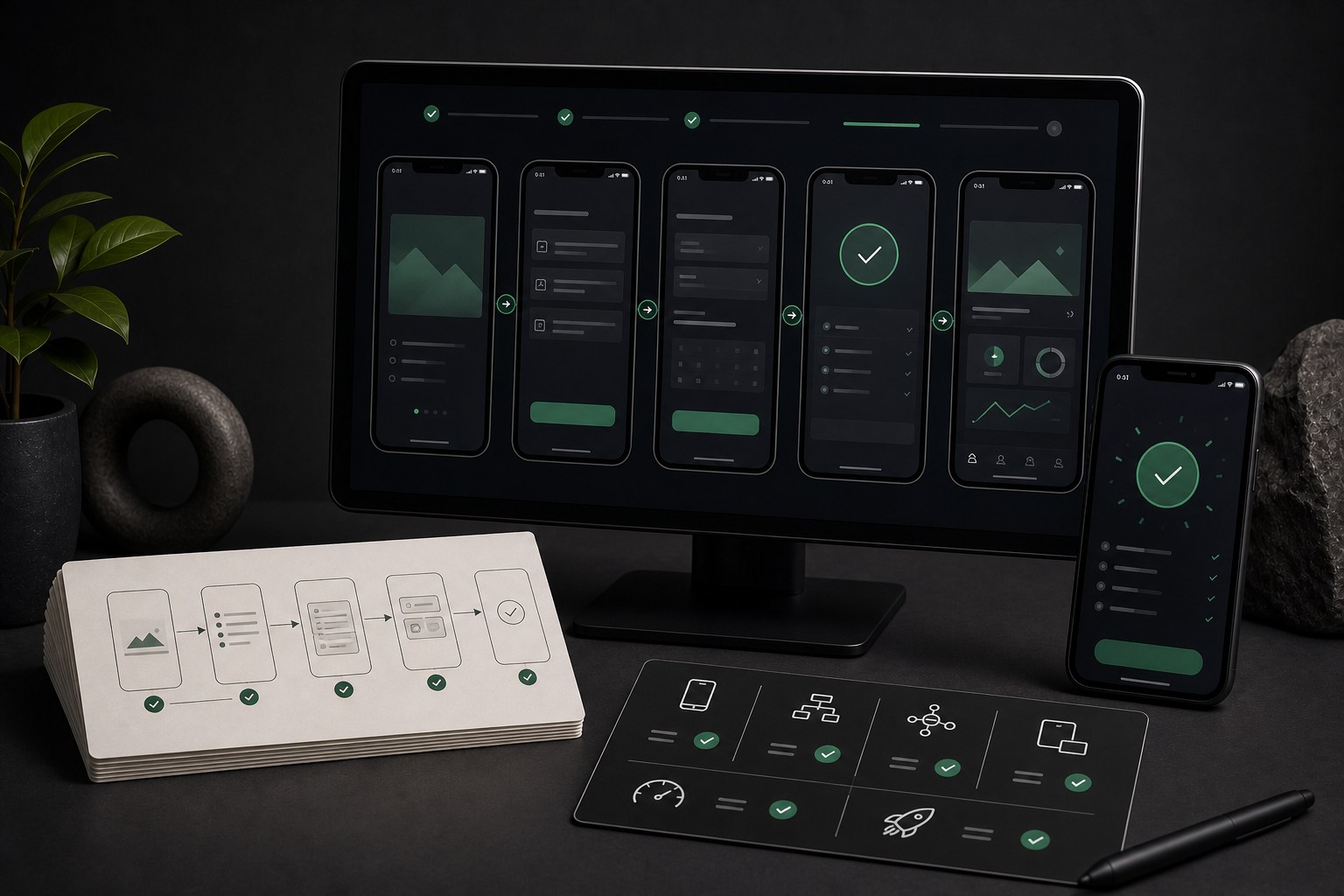
Delivery moves through four practical stages: product mapping, UX system planning, build and integration, then QA and handoff. Each stage exists to reduce ambiguity before the next one starts.
In product mapping, we turn the idea into a release plan. In UX system planning, we define how the screens behave and what states they need. In build and integration, we implement the approved flow. In QA and handoff, we verify the important paths and document what the client needs to know.
- Scope and product map: define users, jobs, screens, states, integrations, platform targets, and launch constraints.
- UX system and screen states: plan reusable components, navigation, onboarding, forms, empty states, errors, permissions, and recovery moments.
- Build and integration: implement approved screens, workflows, forms, APIs, authentication, analytics, and state handling.
- QA and launch handoff: review devices, screen behavior, accessibility foundations, performance notes, access details, release notes, and next steps.
What we need from the client
A launch-ready flow depends on clear inputs. We can help organize incomplete information, but the best delivery happens when the client can confirm the business rules, content ownership, platform priorities, and connected systems early.
- Product goals and the main user action the first release must support.
- Brand assets, app name, content, copy direction, and any required legal or compliance language.
- Access to existing APIs, hosting, databases, CMS tools, analytics, payment accounts, app store accounts, or third-party platforms when needed.
- Business rules for accounts, approvals, payments, notifications, support, fulfillment, privacy, and data retention.
- A review owner who can approve scope, answer product questions, and confirm launch decisions.
QA and accessibility expectations
QA is not saved for the last hour. We review the app against the approved flow, the target devices, and the screen states defined during scope. The goal is to catch release blockers before the handoff, not after users are already in the app.
Accessibility foundations are included because mobile usability depends on more than visuals. Touch targets, labels, contrast, predictable state changes, readable hierarchy, and assistive technology behavior all affect whether the product can be used confidently.
- Core flow testing across the scoped device and viewport targets.
- Form, authentication, account, payment, notification, and integration checks when those items are in scope.
- Review of loading, empty, success, error, permission-denied, and unavailable-data states.
- Accessibility review for labels, contrast, target size, reading order, state clarity, and assistive technology considerations.
- Release notes that separate launch-blocking issues from recommended future improvements.
What you receive at handoff
The handoff is meant to make the app understandable after delivery. Your team should know what was built, what was tested, what accounts or systems are connected, what decisions were made, and what should happen next.
- A launch-ready app flow aligned to the approved product scope.
- Documented screen states for important success, loading, empty, error, permission, and recovery moments.
- Integration and access notes for APIs, analytics, authentication, payments, notifications, CMS, hosting, app store accounts, or other scoped systems.
- QA notes covering the screens, flows, devices, and behaviors reviewed before release.
- Accessibility notes and recommendations for future audits, remediation, or deeper conformance work.
- A next-step roadmap for maintenance, monitoring, feature expansion, content updates, and future releases.
What is not included unless scoped
Clear exclusions protect the launch. If something is not required for the first release, we document it as a future phase or quote it as an add-on. This keeps the MVP focused and avoids turning the first version into an open-ended build.
- Unlimited screens, unlimited revisions, or feature work outside the approved flow.
- Native app store submission management, legal review, privacy policy drafting, or compliance certification unless added to scope.
- Complex backend architecture, custom AI systems, advanced reporting, enterprise role systems, or multi-tenant infrastructure unless defined as part of the project.
- Full WCAG conformance certification or formal accessibility documentation beyond the scoped accessibility foundations.
- Ongoing support, monitoring, performance optimization, and feature iteration unless covered by an App Care Plan or separate maintenance agreement.
How this supports future versions
A good first release should make the next release easier. By documenting scope, decisions, states, integrations, QA findings, and next steps, the launch-ready flow becomes a foundation for future product work.
After launch, the team can use the handoff notes to prioritize improvements based on user feedback, analytics, operational needs, accessibility findings, and maintenance requirements. That keeps the roadmap connected to real behavior instead of assumptions.
Conclusion
DigitxlLink's launch-ready mobile app flow is built to give your team a focused, testable, and explainable first release. It defines the scope, builds the core experience, verifies the important paths, and hands off the product with the information needed to maintain and improve it.