The enterprise WCAG audit readiness guide
How to define scope, identify business-critical flows, align stakeholders, and collect the evidence needed for well-documented accessibility work.

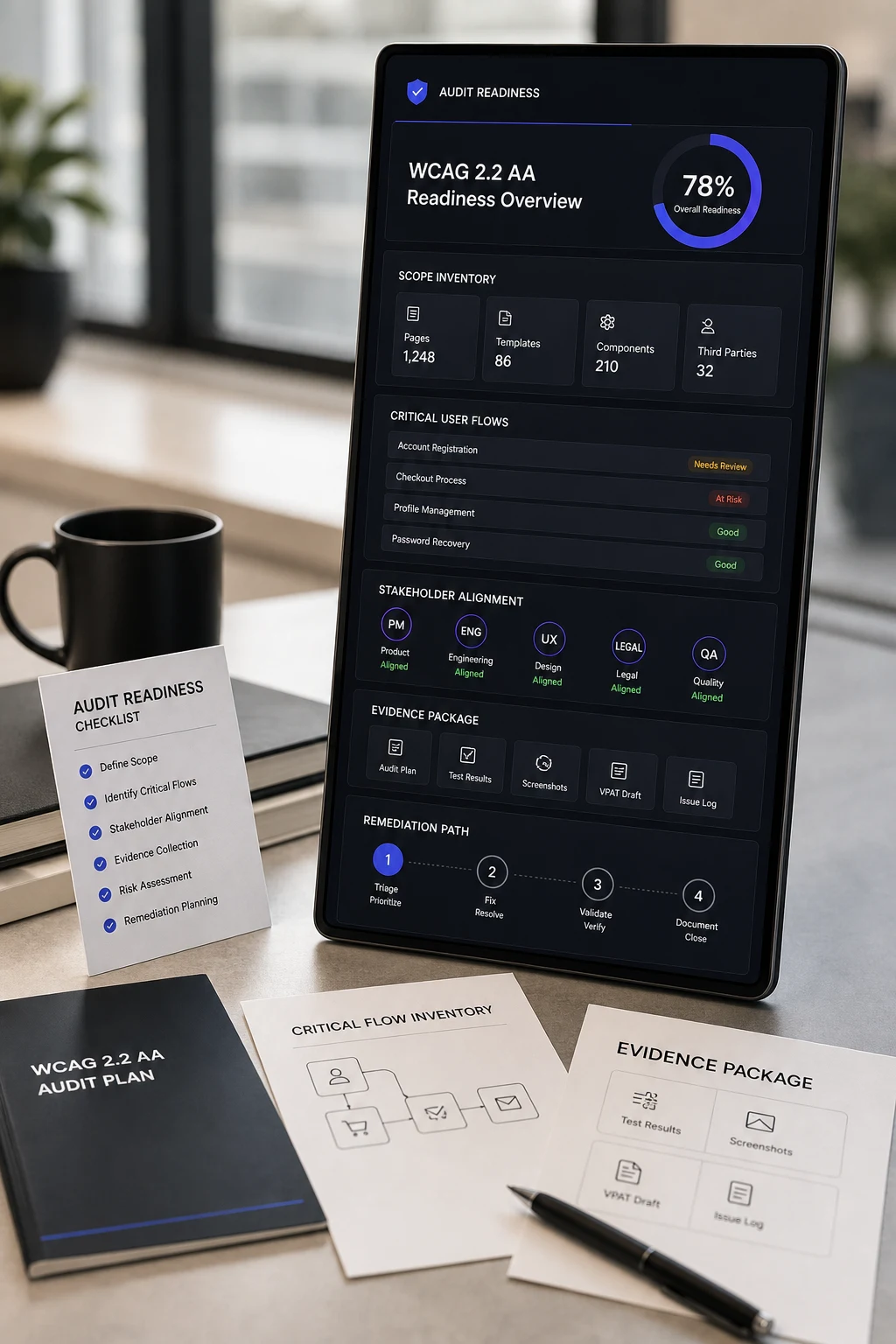
A WCAG audit is only useful when the business can act on it. Enterprise readiness means the audit is scoped around the experiences that matter, the right stakeholders are aligned before testing starts, and the evidence package is built for remediation, procurement, governance, and executive review.
What this helps with
- Best for: executives, product leaders, compliance teams, and engineering owners preparing for manual WCAG review.
- Outcome: a cleaner audit scope, faster remediation intake, and evidence your team can defend in stakeholder conversations.
- Use when: you are planning an audit, responding to buyer requirements, or turning accessibility risk into a concrete delivery plan.
What audit readiness means
Audit readiness is the operating work that happens before testing. It defines what gets reviewed, what standards apply, who owns decisions, and how findings will move into remediation. Without that preparation, teams often receive a technically accurate report that is hard to prioritize, hard to defend, and slow to fix.
For enterprise teams, readiness should connect accessibility testing to release risk, legal exposure, customer impact, and procurement expectations. The goal is not a longer report. The goal is a clearer path from evidence to action.
Readiness principle: scope around real user journeys first. Pages, components, templates, logged-in states, forms, modals, navigation patterns, and third-party experiences should be included based on business and user impact.
Define scope around business-critical experiences
Start by identifying the flows that would create the most risk if disabled users could not complete them. For many organizations, that includes account creation, purchasing, booking, onboarding, support, dashboards, search, forms, document access, and any customer-facing workflow tied to revenue or service delivery.
- List high-traffic pages, conversion paths, and authenticated workflows.
- Map reusable components such as menus, modals, carousels, accordions, tables, filters, and form patterns.
- Include responsive breakpoints, zoom states, keyboard-only paths, and screen reader journeys.
- Flag third-party tools, embedded widgets, payments, chat, calendars, and document viewers.
Align stakeholders before findings arrive
Accessibility findings touch multiple teams. Product needs prioritization. Engineering needs reproduction steps and acceptance criteria. Design needs pattern-level guidance. Legal and procurement need careful evidence language. Leadership needs a concise risk view.
Before the audit starts, assign owners for intake, triage, remediation, validation, and executive reporting. This prevents findings from becoming a static PDF instead of a managed backlog.
- Product: define affected journeys and severity context.
- Engineering: confirm technical owners and release windows.
- Design: prepare reusable pattern fixes and design-system updates.
- Compliance: preserve evidence for risk and procurement conversations.
Collect the right evidence package
A well-documented audit package should make every issue reproducible and every fix verifiable. Evidence should include the affected URL or screen, viewport or device context, assistive technology used, WCAG criteria, severity, user impact, screenshots or recordings where useful, and recommended remediation.
For teams preparing ACR/VPAT or procurement documentation, evidence should be current, product-specific, and tied to validated behavior. Avoid broad claims that are not backed by recent testing.
Readiness checklist
- Inventory complete: critical flows, templates, components, states, and third-party surfaces are listed.
- Standards confirmed: WCAG 2.2 AA, Section 508, EN 301 549, EAA, or procurement expectations are identified.
- Owners assigned: product, engineering, design, QA, compliance, and executive stakeholders know their role.
- Remediation path ready: findings have an intake process, priority model, fix owners, and validation plan.
- Evidence retained: reports, screenshots, reproduction notes, and retest outcomes are stored for governance.